Table of Contents
Share


Since March 2021, Yahoo! JAPAN has completely switched over to the new auction-type display ads and are no longer offering YDN display ads. Unlike Yahoo! JAPAN search ads’ UX and UI, the new ad management portal for display ads has a different look and is much more intuitive to navigate. We have covered the features of the new Auction-Type Yahoo! JAPAN Display Ads in a previous article, but read on to learn more about how to navigate the PPC management dashboard.
Yahoo! JAPAN is Japan’s no.1 web portal with 79 billion page views a month1. Furthermore, it’s Japan’s second largest search engine with 18% market share. Although it is second to Google as a search engine, Yahoo! JAPAN has more monthly digital users than Google. To learn more about the platform and our service offering, visit our Yahoo! JAPAN service page and this blog article that compares Yahoo! JAPAN and Google.
New Auction-Type Yahoo! JAPAN Display Ad Campaign Management Tool
Once you are logged into the Display Ad Campaign Management Tool, you will see that the layout and user interface is completely different from the previous YDN management dashboard.
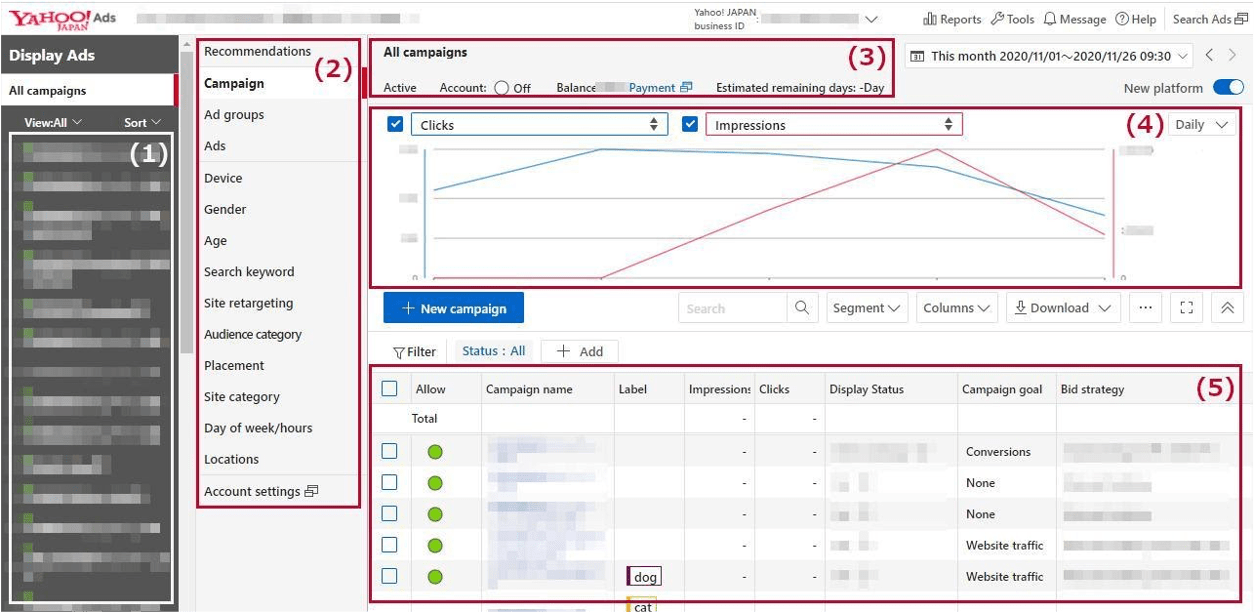
Dashboard contents:
- Account structure including ad groups and campaigns.
- Manage the settings for the selected ad.
- Information of the selected ads and accounts are displayed.
- The performance of the selected ads can be viewed in the graph.
- Details of the selected ads’ performance and set values are listed.
Top bar features
- Reports: create performance reports and templates
- Tools: access popular lists, billing and payments and other useful tools
- Message: view alerts and notifications
- Help: a list of online resources on further assistance on how to use the platform
- Search Ads: takes you back to the Yahoo! JAPAN Business Manager for search ads

What’s new in the Auction-Type Display Ads Campaign Management Tool UI/UX?
New feature 1: performance comparison
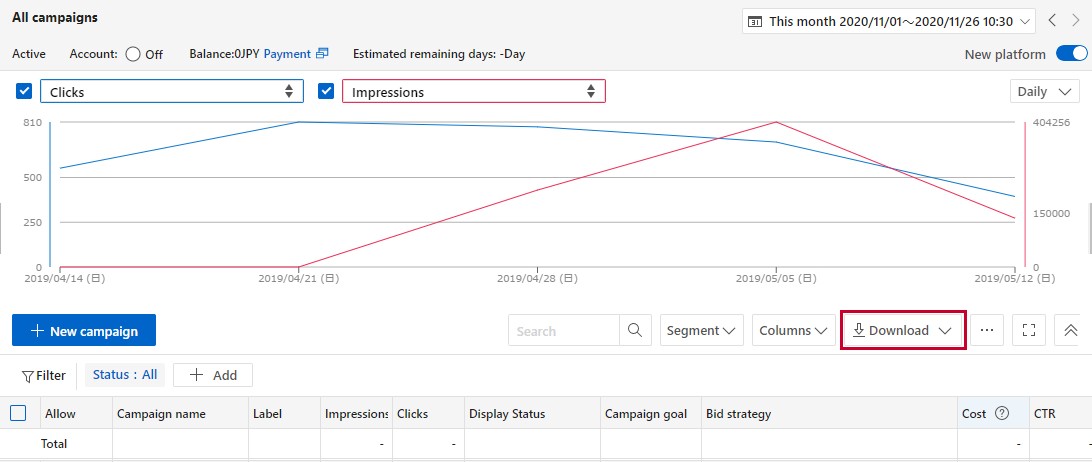
Users are now able to compare the performance of two time periods with a visual graph. Download the displayed graph and performance data with a click of a button.
New feature 2: create campaigns based on goal type
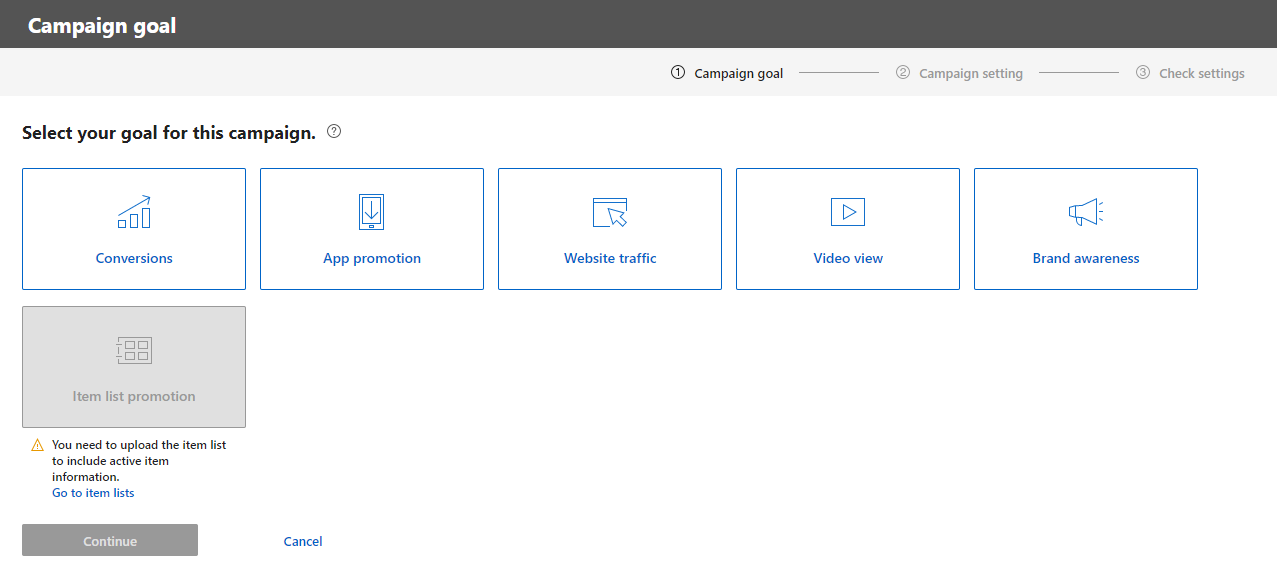
You can now create campaigns based on what you would like to achieve with the ads. Advertisers can now choose one of the following campaign goals:
- Conversions
- App promotion
- Website traffic
- Video view
The following campaign types are not available by default, but they can be selected by applying to Yahoo! JAPAN through us:
- Brand awareness
- Item list promotion (Dynamic Display Ads)
New feature 3: create ads and campaigns on the same screen
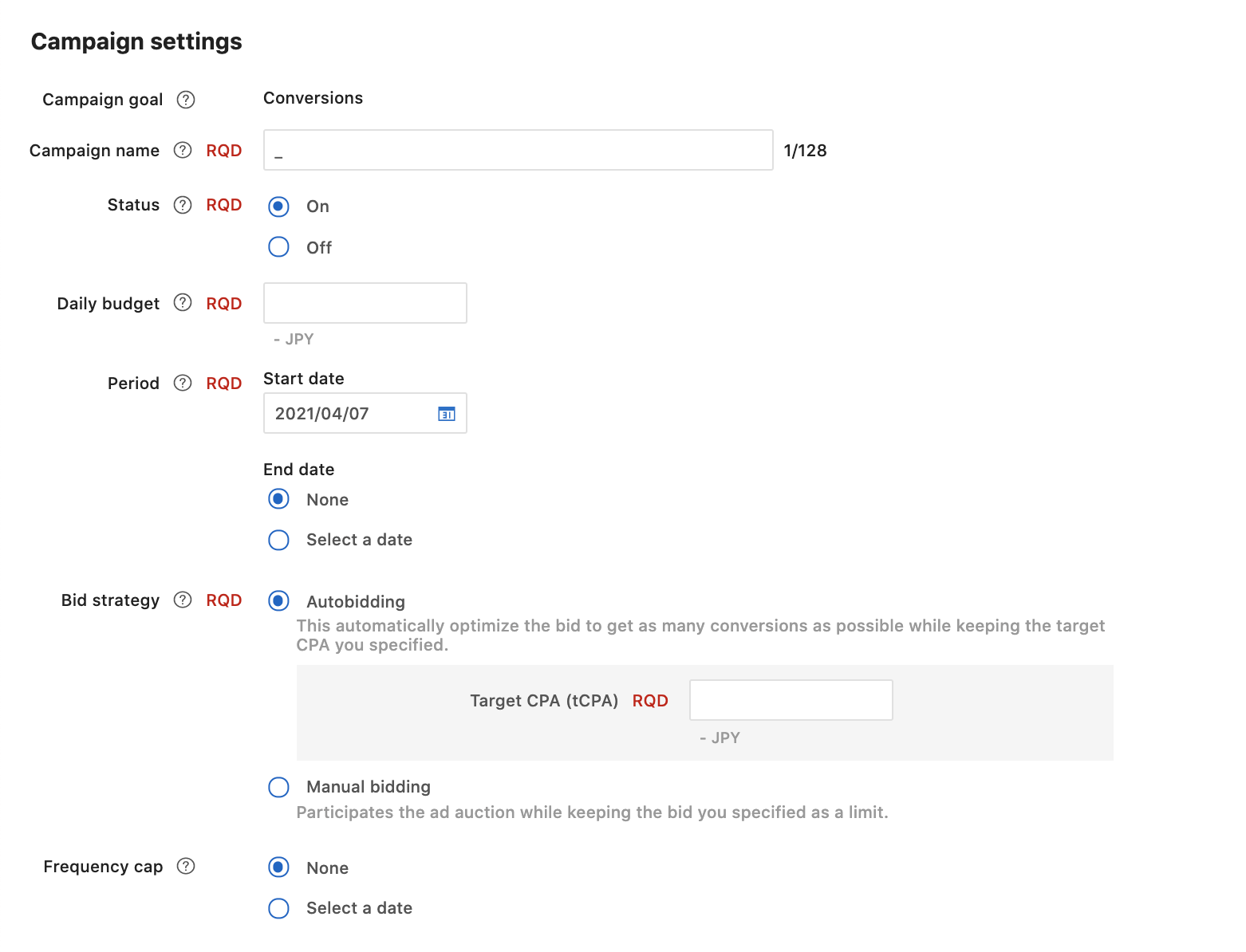
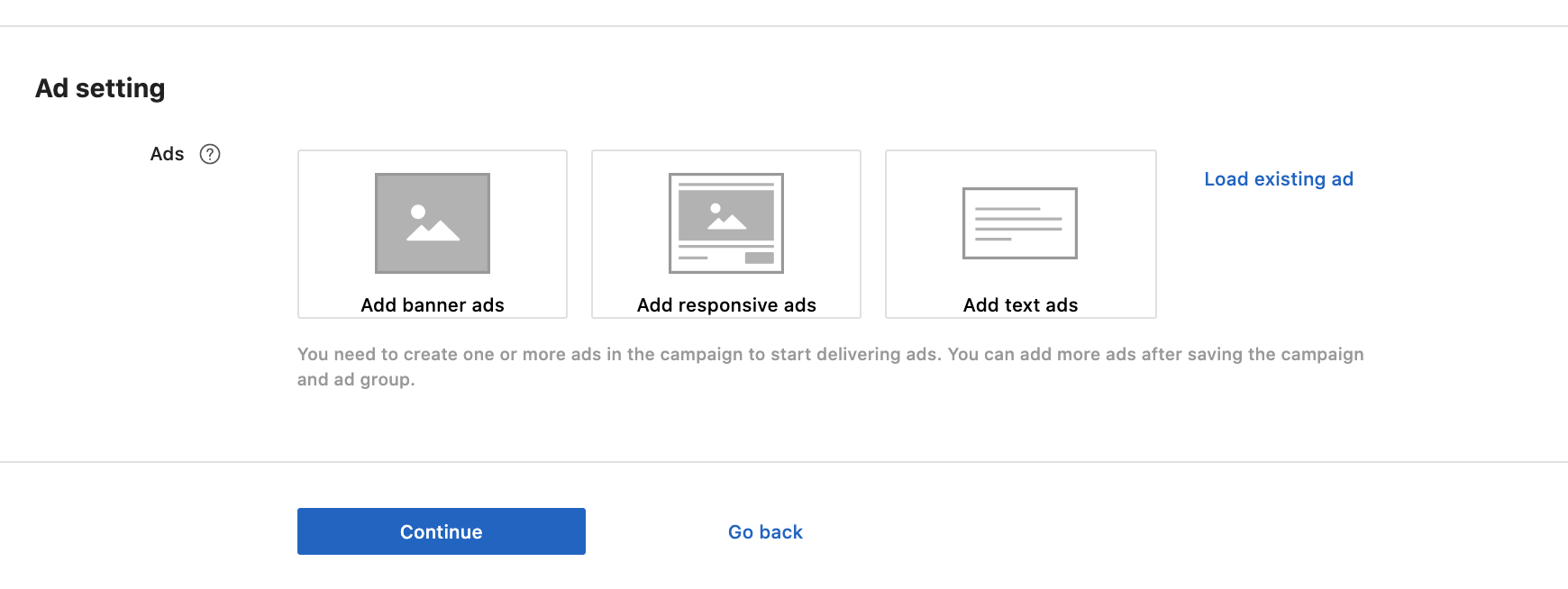
A simplified ad creation process allows users to create ads and campaigns on the same page, and easily upload image and video files.
New feature 4: Use inline editing
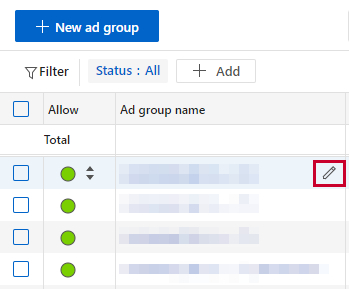
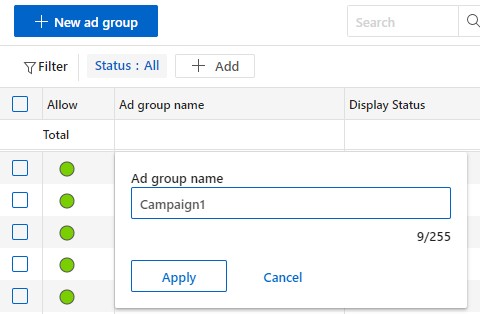
When viewing the main screen with a list view, edit either the campaign, ad group or ad name by directly clicking on the edit icon.
New feature 5: View recommendations
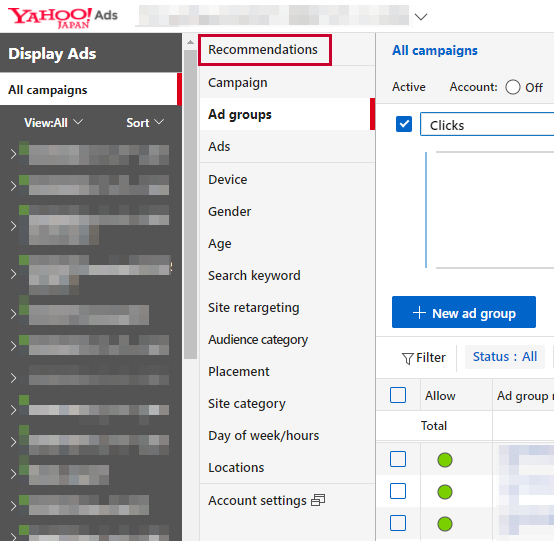
Click on “Recommendations” to view a list of suggestions on how to optimise your account.
This was a basic introduction to the campaign management tool for Yahoo! JAPAN’s new auction-type display ads. There is an online learning portal for Yahoo! JAPAN Ads, but it is only available in Japanese. For further assistance, training, support or management of Yahoo! JAPAN Ads, contact the bilingual PPC experts at DMFA today.